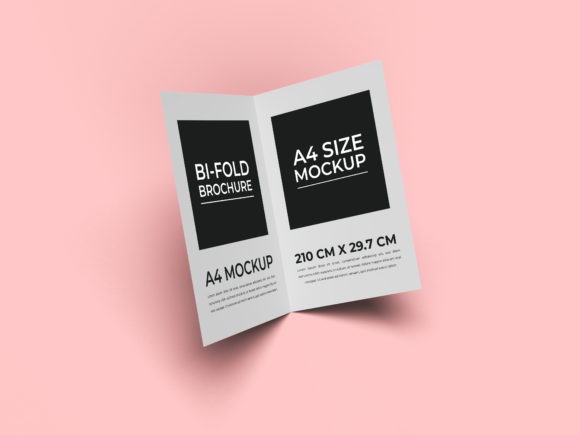
Bi-fold Brochure Design Mockup Template
When you need to present a printed piece before it goes to press, a bi-fold brochure design mockup template gives you that crucial preview. Instead of imagining how colors, images, and text will land on paper, you drop your artwork into a realistic 3D scene or flat layout and see exactly how it behaves. For designers, business owners, educators, and hobbyists alike, this small step can save time, reduce revisions, and increase confidence in the final product.
What Exactly Is a Bi-fold Brochure Design Mockup Template
A bi-fold brochure is a single sheet of paper folded once to create four panels—a front cover, two interior spreads, and a back panel. The mockup template is a pre-built file, usually a Photoshop PSD, Figma component, or Canva template, that includes smart objects or placeholders. You insert your own design into those placeholders, and the mockup automatically applies shadows, reflections, and perspective so the result looks like a photograph of a real brochure.
These templates come in many styles: angled shots on desks, flat lay displays, handheld presentations, or studio setups. Some are free, others premium. The key benefit is that you don’t have to build the scene from scratch or hire a photographer. Anyone with basic image editing skills can produce a polished visual.
Why Different People Care About This Template
The value of a bi-fold brochure mockup template shifts depending on who you are and what you are trying to achieve. A beginner might treat it as a shortcut to make their work look professional. An experienced designer may see it as a tool to speed up client approvals. A small business owner could use it to test branding before placing a print order. An educator might demonstrate the difference between digital and physical layouts. Each perspective highlights a different priority: ease of use, cost, quality, speed, or learning.
Beginners Looking for Confidence
If you are new to design or marketing, creating a brochure from scratch can feel overwhelming. You worry about margins, bleeds, and how your choices will look once printed. A bi-fold brochure design mockup template removes much of that guesswork. You simply place your content into the smart layer, and the template handles the presentation. This lets you focus on the message and the visual style without getting bogged down by technical setup. Many free templates include guides for common print standards, which helps you avoid costly mistakes.
For example, a local bakery owner who wants to promote a seasonal menu can grab a free Canva mockup, drop in photos of pastries and a list of specials, and instantly see how the brochure will look on a counter. That visual feedback builds confidence before committing to a printer.
Professionals and Creators Demanding Flexibility
Experienced designers and creative agencies need more than a simple placeholder. They require editable layer styles, color adjustments, and the ability to change backgrounds or lighting. A high-quality bi-fold brochure mockup template delivers these features. You can swap out the environment—from a clean white studio to a wooden desk—or adjust shadows and reflections to match your brand’s mood. This flexibility is critical when you are presenting to clients who expect a tailored look.
Consider a freelance graphic designer preparing a proposal for a real estate developer. Using a premium mockup that shows the brochure lying on architectural blueprints adds thematic context. The designer can adjust the hue of the environment to match the brand colors, making the presentation feel cohesive and intentional. The client gets a vision that feels real, which reduces the back-and-forth on revisions.
Business Owners Prioritizing Speed and Cost
When you run a small business, time is money. You might not have the budget for a full design agency or a professional photo shoot. A bi-fold brochure design mockup template gives you a fast, low-cost way to visualize your marketing material. Many templates are available for a few dollars or even free. You can test multiple designs in the same mockup without re-creating the scene each time.
A startup launching a new service can use a template to create a brochure mockup in under an hour, share it with the team for feedback, and then send the final file to print. The mockup also serves as a social media teaser—posting a realistic image of the brochure builds anticipation without revealing the full content. This dual use extends the value of a single template.
Educators and Learners Seeking Practical Demonstration
Teaching design principles often requires showing how abstract rules translate into real objects. A bi-fold brochure mockup template lets students see typography, layout, and color theory in a lifelike context. Instead of talking about the importance of hierarchy, an instructor can show how a well-structured interior panel looks in the mockup versus a cluttered one.
A high school teacher running a graphic design unit might assign students to design a brochure for a fictional event. Using a mockup template, each student presents their work as if it were printed. This reinforces the difference between screen and paper, and it gives students a portfolio piece that looks polished. The learning value here is high, and the template eliminates the need for actual printing.
Consumers and Hobbyists Exploring Creative Projects
Not every brochure project is commercial. Hobbyists, event planners, and volunteers often create brochures for community events, family reunions, or club promotions. A bi-fold brochure design mockup template helps them produce a result that feels professional without requiring advanced design skills. The satisfaction of seeing your own creation in a realistic mockup can be motivating and encourage you to keep improving.
A hobbyist photographer organizing a small exhibition can design a simple brochure with dates and images, then use a free mockup to share with friends and test reactions. The mockup makes the project feel more real and increases the excitement around the event.
Key Priorities When Choosing a Bi-fold Brochure Mockup Template
Your personal goals and skill level will determine which template is right for you. Here are the main factors to consider:
- Ease of use – Beginners should look for templates with clear instructions, labeled layers, and compatibility with the software they already use (Canva, Photoshop, or Affinity). Some templates even include video tutorials.
- Cost and licensing – Free templates are great for learning or one-off projects. Premium templates often offer more realistic renders, multiple angles, and commercial licenses that allow you to sell the final mockup images to clients.
- Quality and realism – Details like paper texture, fold lines, lighting, and depth of field make a big difference. If you are presenting to a discerning client, invest in a template that looks photographic rather than flat.
- Flexibility and customization – The ability to change background, shadows, and color overlays gives you creative control. Some templates even allow you to adjust the thickness of the paper or the angle of the fold.
- Speed and reliability – For tight deadlines, choose a template that works instantly with Smart Objects, no manual layer blending required. Check reviews to ensure the template is bug-free.
- Long-term usefulness – If you plan to create brochures regularly, look for a template that can be reused with different designs. Templates with multiple poses or environments offer more value over time.
How to Decide If a Bi-fold Brochure Design Mockup Template Matches Your Needs
Start by asking yourself what you want to achieve. Are you aiming to impress a client, teach a class, test your own design, or quickly visualize an idea? If you need to communicate a printed look without actually printing, the template is likely a good fit. If your project is purely digital or you never plan to print the brochure, the mockup may still help you visualize the concept, but it is not essential.
For beginners, a simple free template with one or two angles is enough. As you grow more confident, you might want to invest in a premium set that includes both flat lay and perspective shots. For professionals, having a library of mockups across different formats—brochure, flyer, booklet—can streamline every client project.
Regardless of your role, the bi-fold brochure design mockup template serves as a bridge between your screen and the physical world. It helps you catch layout issues early, present your work with authority, and ultimately produce printed materials that look exactly as you imagined.