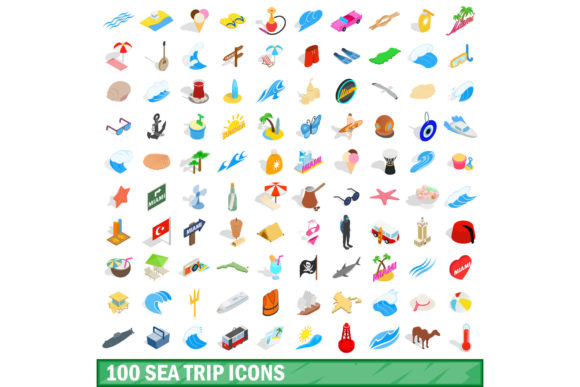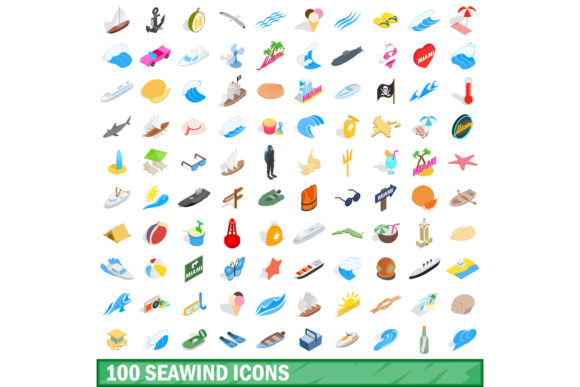
Navigating Design with the 100 Nautical Icons Set
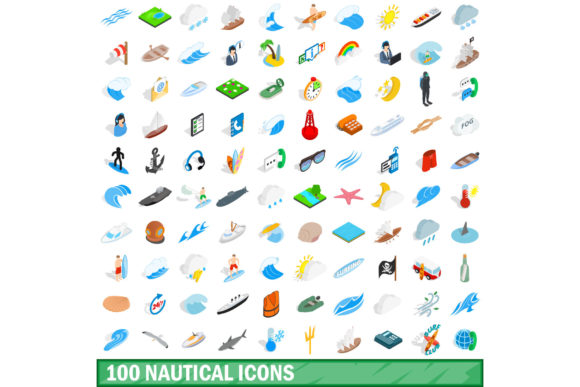
There is something inherently evocative about maritime imagery. The silhouette of a sailing boat cutting through waves, the steady pulse of a lighthouse beam, or the intricate knot of a ship's rope all carry a sense of adventure, precision, and timelessness. For designers, content creators, and branding professionals, capturing that essence visually often starts with a reliable library of symbols. This is where a comprehensive 100 Nautical Icons Set becomes more than just a collection of graphics—it becomes a toolkit for storytelling across a wide range of projects.
Whether you are building a marine supply e-commerce site, designing a coastal restaurant menu, or developing an educational app about oceanography, the right icons can communicate complex ideas at a glance. A well-curated set does not merely decorate a page; it guides the user, reinforces brand identity, and saves hours of custom illustration work. Let's explore what makes a nautical icon collection truly useful, the types of symbols you can expect to find, and how to integrate them effectively into modern workflows.
What Defines a High-Quality Nautical Icon Collection?
Not all icon sets are created equal. When evaluating a collection like the 100 Nautical Icons Set, several qualities determine whether it will enhance a project or create visual noise. First and foremost is consistency. Every icon within the set should share a similar line weight, style, and level of detail. A mixture of flat and highly detailed outlines within the same collection can feel disjointed, especially when used side by side on a dashboard or infographic.
Another critical factor is scalability. Icons that look crisp at 16 pixels but lose definition at 128 pixels are limited in usefulness. The best sets are designed with vector formats—typically SVG or EPS—allowing them to scale infinitely without quality loss. This flexibility means the same anchor icon can serve as a tiny UI element on a mobile screen and a large graphic on a printed poster.
Semantic clarity also matters. A ship's wheel should be instantly recognizable as such, not confused with a steering wheel or a compass rose. In a set of 100 nautical icons, each symbol should carry a clear, unambiguous meaning. This is especially important for wayfinding signage or safety-related applications, where misinterpretation could lead to confusion.
Common Categories Within a Nautical Icon Library
A comprehensive set covers a broad spectrum of maritime subjects. When you open a well-designed collection, you typically find icons grouped around several key themes:
- Watercraft: Sailboats, motor yachts, speedboats, cargo ships, submarines, fishing trawlers, kayaks, and dinghies.
- Navigation Tools: Compasses, sextants, globes, maps, GPS devices, and nautical charts.
- Maritime Structures: Lighthouses, piers, docks, buoys, harbors, and boathouses.
- Weather & Elements: Waves, wind indicators, rain clouds, sun, lightning bolts, and fog symbols.
- Safety & Equipment: Life rings, life jackets, flares, fire extinguishers, distress signals, and first aid kits.
- Sea Life & Decor: Anchors, shells, starfish, whales, dolphins, seagulls, and ropes.
- Activities: Fishing rods, snorkeling masks, sailing, diving, and rowing.
These categories ensure that a single set can serve projects ranging from serious safety manuals to whimsical children's book illustrations. The 100 Nautical Icons Set often includes a mix of these, giving designers the flexibility to create cohesive visual systems without hunting for missing pieces.
Practical Applications Across Industries
One of the strongest arguments for investing in a dedicated nautical icon set is its versatility. While it might seem niche at first glance, maritime symbols appear in far more contexts than one might expect.
Web and App Design
In digital product design, icons play a functional role. A booking platform for boat rentals might use a sailboat icon to represent the type of vessel, a calendar icon for availability, and a map pin for location. A single 100 Nautical Icons Set can provide all of these within a unified visual language, eliminating the need to mix icon families from different sources. This consistency improves user experience—when all icons look like they belong together, the interface feels more polished and trustworthy.
For dashboards that track marine data—such as wind speed, tide levels, or fleet positions—nautical icons become interactive elements. A wave icon might expand to show swell height, while a compass icon could reveal directional data. The visual shorthand reduces cognitive load, allowing users to process information more quickly than they would with text labels alone.
Branding and Identity
Restaurants, resorts, and coastal businesses often build their entire visual identity around nautical themes. A logo that incorporates a lighthouse or anchor is instantly readable, but the same icons need to extend across menus, signage, social media, and merchandise. A set of 100 nautical icons provides a consistent library for creating that extended brand system. A seafood restaurant might use a fish icon on its menu, a boat icon on its takeout bags, and a shell icon on its loyalty cards—all drawn from the same set, ensuring a cohesive look.
Event planners organizing regattas, maritime festivals, or sailing competitions also benefit. From tickets to banners to mobile apps, having a ready-made icon library speeds up production while maintaining professional quality.
Education and Wayfinding
Museums, aquariums, and maritime centers rely heavily on visual communication. Informational signage about shipbuilding techniques or marine biology becomes more engaging when accompanied by relevant icons. In wayfinding systems, a toilet icon combined with a wheelchair symbol is standard, but a museum on maritime history might also want icons for specific exhibit zones—such as a submarine for the naval warfare section or a sextant for the navigation hall. A 100 Nautical Icons Set provides the vocabulary to build a custom wayfinding system that aligns with the institution's theme.
Educational materials for children also benefit. Worksheets, flashcards, and interactive apps that teach about boats, ocean life, or weather patterns are more effective when imagery is clear, friendly, and consistent. Icons can replace lengthy text explanations, helping young learners grasp concepts through visual association.
Practical Benefits of Using a Pre-Made Icon Set
One of the most immediate advantages is time savings. Custom illustration is expensive and slow. Even a single unique icon can take an hour or more to design, revise, and export in multiple formats. Scaling that to 100 icons represents a significant investment. A pre-made set eliminates that overhead, allowing designers to focus on layout, typography, and overall user experience rather than drawing every element from scratch.
Cost efficiency is another factor. While premium icon sets are not free, they are far more affordable than commissioning custom work. Many high-quality sets are available under flexible licensing terms, covering both personal and commercial use. This makes them accessible to freelancers, startups, and small businesses that may not have large design budgets.
File format versatility is also worth noting. A well-packaged set typically includes SVG, PNG, EPS, and sometimes even WebFont formats. SVG icons are particularly valuable for web projects because they remain sharp on retina displays and can be styled with CSS—changing colors, adding hover effects, or animating paths without loading extra images. PNG versions with transparent backgrounds are ideal for quick drop-in use in presentation software or social media graphics.
What to Look for Before Purchasing or Downloading
Before committing to a specific collection, consider a few practical factors. First, examine the license agreement carefully. Some sets restrict use in templates or logo designs, while others are fully open. If you are building a product for resale, ensure the license covers redistribution in digital or printed form.
Second, test the icons in your design software of choice. Most sets offer a preview or a small sample pack. Check how the icons behave when scaled, rotated, or combined with other elements. Pay attention to stroke alignment—poorly constructed icons may look misaligned when placed next to other graphics.
Third, consider the aesthetic. Nautical icons can range from ultra-minimalist line art to highly detailed vintage illustrations. Think about your target audience and brand personality. A modern tech startup building a marine navigation app might prefer clean, geometric icons, while a historic ship museum would likely lean toward ornate, old-world styles. The 100 Nautical Icons Set that works for one project may feel out of place in another, so matching the visual tone is essential.
Integrating Nautical Icons into Modern Workflows
Today's design workflows rely on collaboration and efficiency. Icon sets that integrate seamlessly with popular tools like Figma, Sketch, Adobe Illustrator, or Canva provide a smoother experience. Many modern sets are delivered as organized files with properly named layers, making it easy to find and modify specific icons without digging through generic file names.
For developers, icon sets that include a font version or a sprite sheet are particularly useful. Instead of inserting individual SVG files into every page, a single font file containing all 100 symbols can be loaded once, with each icon referenced by a Unicode character or CSS class. This reduces HTTP requests and improves page load speed—a small but meaningful performance gain.
Animation is another growing trend. A static icon does its job, but an animated one can elevate a user experience. A lighthouse icon that pulses, a wave that gently moves, or a compass needle that rotates draws attention without being distracting. Vector-based icons are ideal for lightweight CSS or JavaScript animations, adding a layer of polish to websites and apps without heavy performance costs.
Making the Most of a Nautical Icon Collection
To get the best value from a set, think beyond its obvious uses. Combine multiple icons to create composite graphics. For example, a single map pin icon becomes more informative when paired with a small anchor symbol to mark a marina. Use icons as visual bullet points in lists to break up text-heavy pages. Replace generic checkmarks and crosses with nautical equivalents—a life ring for success, a storm cloud for warnings.
In print, icons can serve as decorative elements without adding printing complexity. A row of small sailboat icons across the bottom of a menu or brochure creates a subtle thematic border. On merchandise, icons can be silkscreened onto tote bags, t-shirts, or mugs, offering a cost-effective way to extend branding into physical products.
Consider accessibility as well. Icons should never be the sole means of conveying critical information. Always pair them with text labels or alt attributes—especially on websites—to ensure that screen readers and non-visual users can access the same content. A well-designed set makes this easy because each icon has a clear, descriptive name.
Finally, remember that an icon set is a foundation, not a limitation. While the 100 Nautical Icons Set provides an excellent starting point, feel free to customize colors, modify details, or combine elements to create new symbols. The best sets are those that encourage creative adaptation rather than rigid, one-size-fits-all usage.
In a world where visual communication continues to grow in importance, having a reliable, high-quality icon library is a strategic advantage. Maritime themes are rich with symbolism—exploration, guidance, resilience, and adventure. A thoughtfully chosen collection of nautical icons helps you tap into that emotional resonance while maintaining professional standards of design and usability. Whether you are designing for the open sea or the digital shore, the right set keeps your projects on course.