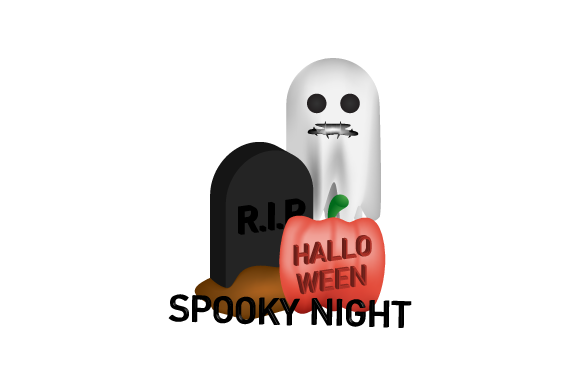
Bringing Depth to Digital Darkness: Exploring the 3D Halloween Spooky Night Design Vector
When the air turns crisp and the nights grow longer, designers and content creators begin their annual ritual of preparing for Halloween. But gone are the days when a simple flat pumpkin or a basic ghost silhouette would suffice. Today, audiences expect more depth, more atmosphere, and a stronger sense of immersion. This is precisely where the 3D Halloween Spooky Night Design Vector enters the scene, offering a perfect bridge between two-dimensional convenience and three-dimensional intrigue.
At its core, this type of design asset combines the scalable, resolution-independent nature of vector graphics with the illusion of depth, lighting, and texture that 3D modeling typically provides. It is not a rendered 3D model in the traditional sense, but rather a carefully constructed vector illustration that simulates Z-axis depth, volumetric lighting, and dramatic shadowing. The result is a file that remains lightweight, infinitely editable, and remarkably adaptable across print, web, and motion graphics.
What Sets a 3D Halloween Spooky Night Design Vector Apart
Understanding the distinction between a standard flat vector and a 3D-styled vector is essential for anyone looking to elevate their Halloween projects. A flat vector relies on clean outlines, solid fills, and minimal shading. It is efficient and readable, but it does little to evoke mood or atmosphere. A 3D Halloween Spooky Night Design Vector, by contrast, uses layered gradients, simulated highlights, and multi-plane compositions to create a sense of spatial presence.
Consider the difference between a simple cat silhouette and a 3D-styled black cat creeping across a moonlit roof. The flat version communicates the idea of a cat. The 3D version communicates the feeling of a spooky night. The cat may have highlighted fur tips, a shadow cast beneath its paws, and a subtle glow reflecting off its eyes from an unseen full moon. These are not accidental flourishes; they are deliberate design choices that transform a symbol into a scene.
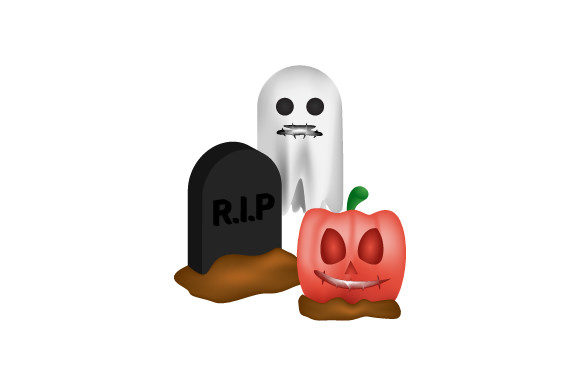
One of the most compelling characteristics of these vectors is their reliance on isometric or pseudo-3D perspectives. Some designs adopt a slightly angled viewpoint that reveals multiple faces of an object—think of a jack-o'-lantern where you can see both the carved front and the curved top. Others use forced perspective or overlapping elements to suggest depth without technically rendering a 3D scene. This makes the artwork feel rich and dimensional while retaining the practical advantages of a vector file.
Practical Benefits for Modern Workflows
From a production standpoint, the 3D Halloween Spooky Night Design Vector offers distinct advantages that pure raster 3D renders cannot match. File size is one of the most immediate benefits. A detailed 3D render can easily exceed 50 megabytes, especially if it includes high-resolution textures and complex lighting. A vector file that simulates that same look may be only a few hundred kilobytes. This makes it ideal for web use, email campaigns, and digital advertising where load speed matters.
Editability is another major factor. When you work with a vector, every line, curve, and gradient remains adjustable. If your client decides they want the haunted house to have a purple sky instead of a black one, you can change it in seconds. If you need to scale the artwork to fit a billboard or a social media avatar, you can do so without any loss of quality. This level of flexibility is especially valuable during the Halloween season, when deadlines are tight and revisions are frequent.
Moreover, these vectors integrate seamlessly into modern design software. Adobe Illustrator, Affinity Designer, Inkscape, and even some web-based tools handle vector files with ease. You can import a 3D Halloween Spooky Night Design Vector and immediately begin adjusting colors, removing elements, or combining it with other assets. This interoperability is crucial for teams working across different platforms or for freelance designers who need to deliver files that clients can later modify themselves.
Key Qualities to Look for in a 3D Halloween Spooky Night Design Vector
Not every vector claiming to be 3D delivers the same level of quality. When selecting or evaluating these assets, several factors deserve close attention.
- Lighting consistency: The best vectors establish a clear light source and maintain it across all elements. If the moon is on the left, shadows should fall to the right. Check for highlights that align with the implied direction of light.
- Gradient complexity: Simple two-stop gradients rarely produce convincing depth. High-quality designs use multi-stop gradients that transition through intermediate shades, mimicking the way light falls across curved surfaces.
- Layer organization: A well-constructed vector will have its layers logically named and grouped. This allows you to selectively hide or modify elements without breaking the overall composition.
- Color harmony: Halloween palettes can easily become chaotic. The best 3D-styled vectors stick to a cohesive range—deep purples, midnight blues, burnt oranges, and muted grays—avoiding overly saturated colors that can look cartoonish rather than atmospheric.
- Detail density: Good vectors balance enough detail to create depth without becoming cluttered. Look for designs that use negative space effectively and avoid unnecessary decorative elements that add visual noise.
It is also worth considering the intended use case before selecting a vector. A design intended for a large-format banner must have enough background detail to fill the space. A vector for a mobile app icon, however, should concentrate detail in the foreground and maintain strong silhouette recognition at small sizes. Many designers build collections of these vectors precisely because they can be adapted across different formats, but having a clear primary use in mind helps narrow the selection.
Where 3D Halloween Spooky Night Design Vectors Shine in Practice
The applications for these assets are remarkably broad, which explains their growing popularity among both amateur and professional designers. Social media content is one obvious area. Instagram stories, Facebook event covers, and TikTok thumbnails all benefit from the visual pop that 3D-styled vectors provide. A flat background image might get scrolled past, but a dimensional scene with layered elements and dramatic lighting catches the eye almost instantly.
E-commerce and retail environments represent another strong use case. Whether it is a seasonal landing page for a costume shop or a promotional email for a Halloween sale, the 3D Halloween Spooky Night Design Vector helps create a cohesive atmosphere that drives engagement. Online retailers often use these vectors to frame product images, placing merchandise within a thematic setting that encourages impulse purchases. The vector never distracts from the product itself, but it primes the viewer emotionally.
Print design also benefits enormously. Posters, flyers, and invitations that use flat vectors can feel somewhat sterile. Adding a 3D-styled vector introduces a tactile quality that translates well to paper. When printed at high resolution, the subtle gradients and simulated depth create a premium appearance. This is especially important for ticketed events like haunted houses, Halloween parties, or film screenings, where the marketing material must convey a specific tone.
Motion graphics and video production have become another unexpectedly strong domain. Because these vectors are resolution-independent, they can be animated easily in programs like After Effects. A designer can take a single 3D Halloween Spooky Night Design Vector of a graveyard scene and animate the fog, make the moon pulse, or have a bat flap its wings across the sky. The vector format keeps the animation file manageable and the rendering time short.
Considerations Before Choosing or Creating Your Own
One factor that often surprises newcomers is the learning curve associated with editing these vectors. While flat vectors are relatively straightforward to modify, 3D-styled vectors require a bit more care. Because depth is simulated through gradients and overlapping shapes, adjusting one element can sometimes create unexpected visual conflicts. For example, changing the color of a tree trunk might require you to also adjust its highlight and shadow layers to maintain consistency.
If you are commissioning a custom 3D Halloween Spooky Night Design Vector, communication with the designer is critical. Be specific about your light source, your primary color palette, and the level of detail you need. Provide reference images that capture the mood you want. A good designer can replicate a specific atmosphere—whether it is a foggy Victorian street or a minimalistic modern haunted house—but only if you clearly articulate your vision.
For those who prefer to use pre-made assets, pay attention to the licensing terms. Some vectors are royalty-free for personal and commercial use, while others impose restrictions on resale, usage in templates, or incorporation into logo designs. Always verify the license before committing to a project, especially if the vector will be used in a product you intend to sell.
Another observation worth making is that the 3D Halloween Spooky Night Design Vector trend has evolved significantly over the past few years. Early attempts at 3D-styled vectors often looked flat or unconvincing because they relied on simple drop shadows and basic gradients. Modern designs, however, benefit from improved software capabilities and a deeper understanding of how light behaves. Many contemporary vectors incorporate multiple light sources, ambient occlusion effects, and even subtle texture overlays that mimic fog, grain, or moonlight scattering through trees.
Building a Cohesive Campaign Around the Assets
One of the most effective strategies for using these vectors is to build an entire campaign around a single unified style. Rather than mixing flat icons, 3D illustrations, and photographic elements, committing to one visual language creates a polished and professional look. If you select a 3D Halloween Spooky Night Design Vector for your main hero image, consider using simplified variations of the same style for your icons, dividers, and background patterns.
Consistency in lighting and color temperature is particularly important when the vector appears alongside other content. If your hero image has cool blue moonlight, your supporting graphics should not feature warm yellow highlights. Keeping the entire composition in the same tonal range reinforces the immersive quality of the design.
Typography also plays a role. The best pairings for 3D-styled Halloween vectors are fonts that balance readability with personality. Sans-serif fonts with geometric shapes can contrast nicely against the organic curves of a haunted tree or a spooky landscape. For headers, display fonts that incorporate subtle texture or distress can echo the grittiness of the vector without competing for attention. The goal is harmony, not chaos.
Final Thoughts on a Dark Art
The 3D Halloween Spooky Night Design Vector is more than a passing trend. It represents a maturation of vector illustration toward greater realism and emotional impact while preserving all the practical benefits that made vectors a staple of modern design. For anyone creating Halloween-themed content—whether for social media, print, e-commerce, or motion graphics—these assets offer a reliable path to producing work that stands out in an increasingly crowded visual landscape.
The key is to approach them with the same thoughtfulness you would bring to any design project. Choose vectors that demonstrate mastery of light and shadow. Learn to edit them with care. Integrate them into campaigns that maintain visual consistency. When done right, a single vector can transform a mundane flyer or a forgettable social post into something that genuinely captures the spirit of a spooky October night.
As the Halloween season approaches each year, the demand for atmospheric, high-impact design will only continue to grow. Those who understand how to harness the depth and drama of a well-crafted 3D Halloween Spooky Night Design Vector will find themselves with a powerful tool that consistently delivers results. It is a small investment in a design asset that pays dividends in engagement, professionalism, and creative satisfaction.