Unlocking the Power of 3D iPad Mockups: A Complete Guide for Designers and Creators
In today's visually driven digital landscape, first impressions matter more than ever. Whether you are a seasoned UI/UX designer, a startup founder pitching an app idea, a content creator building your portfolio, or an educator developing training materials, the way you present your work can make or break its impact. A flat, static screenshot attached to an email feels lifeless. But place that same design inside a realistic, three-dimensional iPad frame, and suddenly it becomes tangible, professional, and compelling. This is the magic of the 3D iPad mockup.
This guide will take you from the very basics of what a 3D iPad mockup is, through its practical significance in modern workflows, and into actionable advice for choosing and using these assets effectively. By the end, you will understand why this tool has become an indispensable part of visual communication across industries.
What Exactly Is a 3D iPad Mockup?
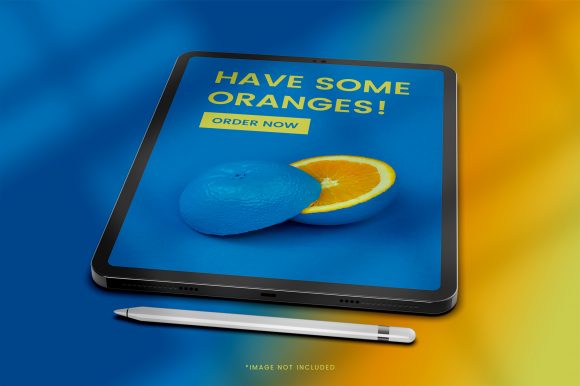
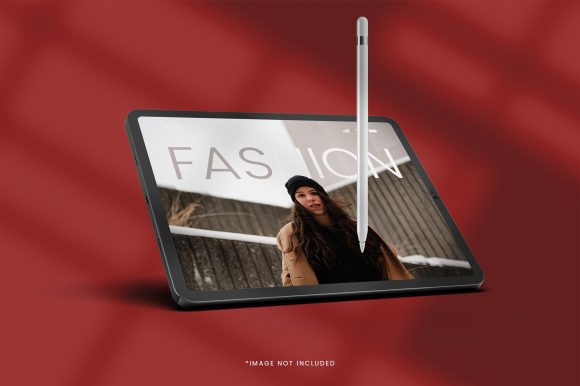
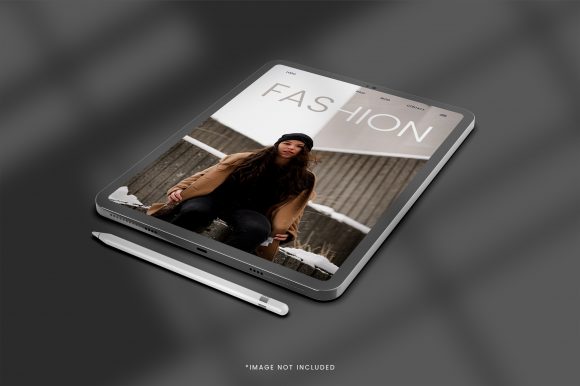
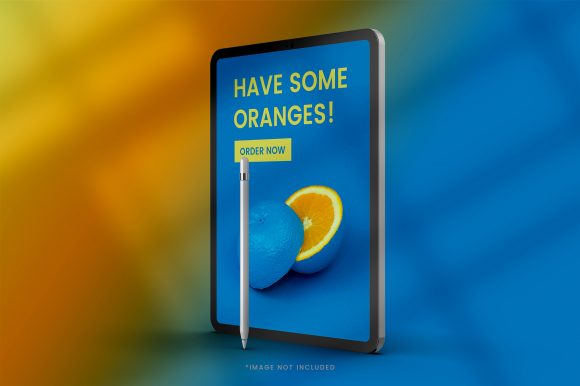
At its core, a 3D iPad mockup is a digital template—often created in software like Adobe Photoshop, Blender, or specialized mockup generators—that realistically renders an iPad in a three-dimensional space. Unlike a simple 2D image, a 3D mockup accounts for perspective, lighting, shadows, reflections, and angles. It places the device in an environment, whether that is a desk, a hand, or a studio background, and allows you to "drop" your own design onto the screen.
Think of it as a digital photograph of an iPad, but one where you can swap out the content on the screen in just a few clicks. The best mockups are built with high-resolution textures and realistic materials, making the final result indistinguishable from a real photograph. They come in a variety of angles: front-facing, tilted, held by a hand, resting on a table, or even shown in a workspace with other objects like coffee cups, notebooks, or a MacBook.
The key differentiator between a standard mockup and a 3D mockup is dimensionality. A basic 2D mockup is flat and often looks artificial. A 3D mockup simulates volume, depth, and the way light interacts with the glass screen and aluminum body. This added realism builds trust and professionalism into your presentation.
Why 3D iPad Mockups Are Essential for Modern Design
The purpose of a mockup goes far beyond decoration. It serves as a bridge between an abstract idea and a real-world experience. When stakeholders, clients, or users see an app design inside a realistic iPad, they immediately understand the context: how the design will look on the device, how it fits the screen proportions, and how it feels in a natural setting.
In the era of visual storytelling, a 3D iPad mockup transforms a simple UI concept into a narrative. It says, "This is not just a wireframe; this is an experience." This emotional and psychological shift is critical for buy-in, whether you are seeking funding, landing a client, or publishing a case study.
Moreover, the rise of remote work and digital portfolios means that you rarely have the luxury of presenting your work in person. A well-crafted mockup must stand alone on a website, a PDF, or a social media post. A 3D iPad mockup elevates your work from a screenshot to a showcase.
Key Benefits of Using 3D iPad Mockups
The popularity of 3D iPad mockups is not accidental. They offer tangible advantages that save time, enhance quality, and increase versatility.
Realism and Professional Appeal
The most obvious benefit is the leap in visual quality. A raw screenshot is functional but unpolished. Placed inside a high-quality 3D mockup, the same design instantly gains a professional sheen. The reflections on the glass, the subtle bezel, the metal edges—all these details signal that you care about presentation. This is especially important for portfolio websites and client proposals where visual polish directly affects credibility.
Cost and Time Efficiency
Consider the alternative: photographing a real iPad with your design on it. This would require a physical device, a controlled lighting setup, a clean background, and a camera with good optics. Then you would need to align your design perfectly on the screen. This process is time-consuming and expensive, especially if you need multiple angles or need to iterate on the design. A 3D mockup eliminates all these steps. You can generate dozens of variations in minutes, often for free or at a low cost.
Versatility Across Use Cases
3D iPad mockups are not limited to app designs. They are equally effective for presenting responsive websites, digital magazines, e-learning modules, video content, or brand guidelines. Any content that lives on a screen can be showcased through an iPad mockup. This makes them a universal tool for anyone who creates digital content.
How 3D iPad Mockups Fit into Modern Life and Business
The relevance of these mockups extends across multiple domains. Let's explore how different professionals leverage them.
For Designers and Agencies
This is the most obvious use case. UI/UX designers use mockups to present their work in Dribbble shots, Behance portfolios, and client presentations. A 3D mockup helps a design stand out in a crowded feed. Design agencies also use them in pitch decks to show how a proposed solution would look in the real world. A mockup can turn a speculative concept into a concrete vision.
For Educators and Trainers
If you create online courses, tutorials, or training materials, a 3D iPad mockup is invaluable. You can display your course content, a slide, or an interactive exercise within the mockup to create a more engaging visual. For example, a screenshot of a learning app inside a real-looking iPad feels more relatable than a flat image on a white background. It helps learners visualize the actual device experience.
For Marketers and Content Creators
Marketers use 3D iPad mockups for landing pages, social media ads, email newsletters, and product demos. A mockup can showcase an app or a digital product in a lifestyle setting, making it more aspirational. Content creators on YouTube or Instagram use them for thumbnails and banners. A high-quality mockup can increase click-through rates simply by looking more professional.
Common Misunderstandings About 3D iPad Mockups
Despite their popularity, several myths persist. Let's clear up a few.
- Myth: Mockups are only for professional designers. This is false. Many user-friendly tools now allow anyone to use a mockup without Photoshop skills. Drag-and-drop editors and free templates make this accessible to small business owners, educators, and hobbyists.
- Myth: A 3D mockup is just a "cool effect" with no practical value. In reality, mockups improve communication. They provide context and reduce ambiguity. A client who might not understand a wireframe will immediately grasp a design shown in a realistic mockup.
- Myth: All mockups look fake and cheesy. While low-quality mockups do exist, the current generation of 3D mockups—especially those created with modern rendering engines—can be photorealistic. The key is choosing a reputable source and using high-resolution images.
- Myth: A mockup will distract from the design. On the contrary, a well-executed mockup frames the design without overwhelming it. The device acts as a neutral container that directs attention to the screen content.
How to Choose the Right 3D iPad Mockup
Not all mockups are created equal. Here is a practical checklist to help you select high-quality assets.
- Resolution matters. Always choose a mockup that is at least 300 DPI and available in large dimensions. A pixelated mockup will ruin the effect.
- Check the angle and perspective. Think about where your design will be displayed. A front-facing mockup is best for app store screenshots. An angled or handheld mockup works better for social media and portfolios.
- Look for editable layers. A good mockup will allow you to replace the screen content easily, often through a smart object layer in Photoshop or a simple image upload in online tools.
- Consider the environment. Some mockups include desks, plants, coffee, or notebooks. These can add life to your image, but choose something that aligns with your brand aesthetic. Minimalist environments are safer for professional use.
- Source from reputable creators. Platforms like Mockup World, GraphicBurger, and Creative Market offer curated collections. Free options are abundant, but premium mockups often offer better lighting and more flexibility.
Practical Tips for Using 3D iPad Mockups Effectively
Once you have chosen your mockup, follow these best practices to get the most out of it.
- Match the lighting. If your mockup has warm lighting, avoid using a cool-colored design that clashes. Consistency in color temperature makes the composite believable.
- Mind the resolution of your screen content. Your design should be at least as sharp as the mockup itself. Upscaling a low-resolution screenshot will look blurry and defeat the purpose.
- Use mockups sparingly. A portfolio full of nothing but mockups can feel repetitive. Use them strategically to highlight your best work or to add variety to a presentation.
- Consider adding subtle shadows or reflections. If your mockup tool allows, a slight drop shadow can anchor the device in the scene and enhance realism.
- Test on different backgrounds. A mockup that looks great on a white page might blend in on a colored website. Use a background that contrasts with the device for clarity.
- Keep the focus on your design. Avoid adding too many decorative elements around the mockup. The goal is to showcase your work, not the environment.
Bringing It All Together: From Mockup to Message
A 3D iPad mockup is more than a visual gimmick. It is a communication tool that builds trust, adds context, and elevates the perceived value of your work. In a world where digital content is consumed at breakneck speed, presenting your design in a realistic, three-dimensional frame can be the difference between a quick scroll and a meaningful engagement.
Whether you are a freelance designer sending a proposal, a teacher preparing course materials, or a startup founder pitching an app, a 3D iPad mockup helps your audience see what you see. It turns a flat concept into a tangible experience. And with the wealth of free and affordable options available today, there is no reason not to incorporate this powerful asset into your workflow.
Start small: find a high-quality mockup that fits your style, drop in your best work, and notice the difference it makes. As you experiment, you will develop an eye for lighting, angles, and composition. Soon, using a 3D iPad mockup will feel like second nature—and your viewers will thank you for it.