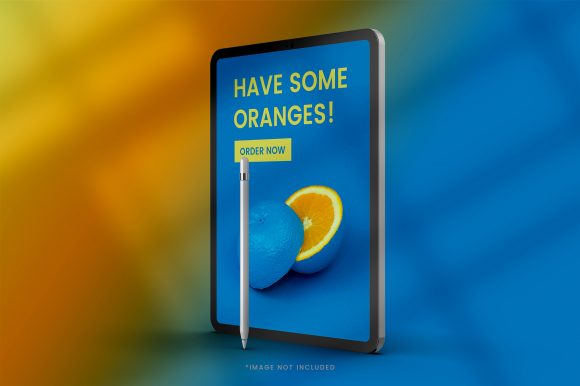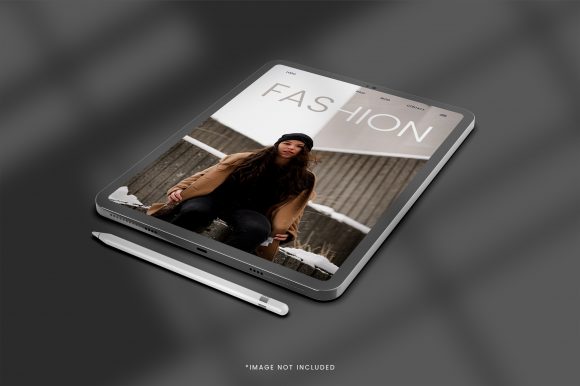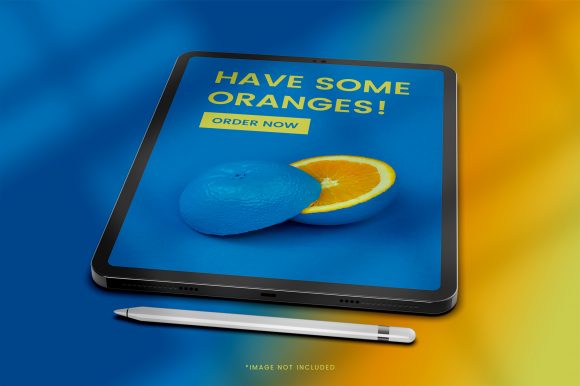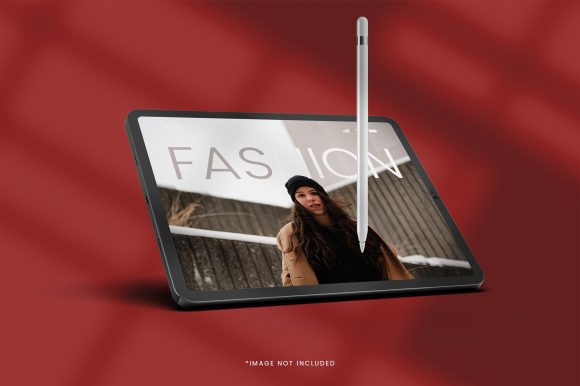
Realistic iPad Mockups for Better Design Communication
A design project rarely succeeds on visuals alone. How you present those visuals often determines whether a client approves, an investor commits, or a user engages. In a competitive digital environment, a flat screenshot floating on a white background fails to convey the thought, detail, and real-world application of your work. A realistic iPad mockup bridges that gap. It places your design into a tangible context, allowing viewers to immediately understand scale, texture, and environment without needing to imagine it. For any professional who creates digital products—from apps to magazines to presentations—this simple shift in presentation can significantly improve how your work is perceived and received.
The Context Advantage: Why Environment Shapes Perception
Human brains process objects differently depending on their surrounding context. When you present a user interface on a realistic iPad mockup, you provide spatial cues that help the viewer assess proportions and usability. A financial dashboard looks more authoritative when resting on a desk with natural lighting. A children's book app feels more inviting when held in a pair of hands. This environmental storytelling does not distract from your design; it amplifies it.
For UX designers, this contextualization serves a practical purpose. It helps stakeholders understand how spacing, typography, and interactive elements will behave on an actual device. For illustrators and digital artists, it showcases how your artwork fits within a lifestyle setting, making it easier for potential clients to envision it in their own products or marketing materials. By using a high-quality realistic iPad mockup, you are effectively answering the most common unspoken question in any review: How will this look in the real world?
- Improved stakeholder buy-in – Decision-makers connect with tangible products faster than abstract files.
- Reduced ambiguity – Eliminate back-and-forth questions about screen size and bezels.
- Higher perceived value – A presented design appears more polished and market-ready.
Streamlining Approval Processes and Reducing Revision Cycles
Time is a finite resource in any creative workflow. One of the most effective ways to reclaim it is to reduce the number of revision cycles caused by miscommunication. When clients or team members view a design on a realistic iPad mockup, they are less likely to request changes based on misunderstandings about scale or visual hierarchy. A flat layout can appear deceptively small or large depending on the monitor it is viewed on. Placing it on a device mockup instantly grounds it in a familiar reference point.
Consider a scenario where you are presenting a new e-commerce app interface. A flat PNG may lead a client to ask, "Can we make the product images bigger?" However, seeing the same design on a realistic iPad mockup shows exactly how much screen real estate is available, often making such requests unnecessary. This clarity helps you guide feedback toward meaningful improvements rather than arbitrary resizing.
- Present early. Introduce the mockup in the first round of concept reviews to set expectations.
- Use consistent perspectives. Stick to one or two angles per project to maintain focus on the design itself.
- Keep a template file ready. Save a branded mockup file with your logo and standard padding for quick client updates.
Elevating Portfolios for Freelancers and Agencies
Your portfolio is the primary evidence of your capability. In a crowded market, presentation quality separates seasoned professionals from newcomers. A realistic iPad mockup transforms a case study from a simple image gallery into an immersive narrative. Instead of asking viewers to scroll through disjointed screenshots, you offer them a curated visual experience that mimics the feel of using the actual product.
Creative platforms like Dribbble and Behance reward this level of polish. Feeds are dominated by work that looks finished, not work-in-progress. A well-composed mockup catches attention faster and holds it longer. For freelance designers seeking higher-value clients, this visual investment signals attention to detail and professionalism. It suggests that you care about the full delivery of a project, not just the UI elements.
Tailoring Your Mockup to Your Target Audience
Not all mockups serve the same purpose. If you are a job-seeking UX designer, choose a clean, well-lit front-facing mockup that emphasizes the user interface without distractions. If you are a digital illustrator targeting the publishing industry, an angled mockup with a hand holding the device creates a more artistic feel. Matching the mood of the mockup to your professional goals makes your portfolio feel cohesive and intentional.
Marketing and Product Launches for Entrepreneurs
For startup founders and product marketers, a realistic iPad mockup is a low-cost, high-impact tool for branding and communication. When preparing a pitch deck for investors, a flat screenshot fails to convey market readiness. Placing your app on a polished device mockup communicates that the product is beyond the wireframe stage. It builds confidence before you even speak.
Similarly, social media campaigns benefit enormously from realistic device presentation. A teaser for an upcoming online course or a new digital magazine looks significantly more professional when displayed on a tablet. Marketers can run A/B tests comparing plain screenshots against contextual mockups and often see higher engagement rates for the contextual images. This is because the human eye is drawn to familiar objects and environments. A realistic iPad mockup feels like a product shot, not a screen grab, and earns more trust as a result.
Use cases for entrepreneurs and marketers:
- Landing page hero images that immediately demonstrate product value.
- App store previews that comply with guidelines while looking compelling.
- Press kits that give journalists ready-to-publish visuals.
- Email marketing banners that increase click-through rates.
Evaluating Quality and Understanding Limitations
Not all realistic iPad mockups deliver the same results. Quality varies significantly based on resolution, lighting, and ease of use. A low-resolution mockup with artificial-looking shadows can undermine the professionalism of your work. When selecting a mockup, prioritize files that offer high resolution, natural lighting, and smart object layers for easy replacement of your design. Photoshop smart objects remain the industry standard, though newer tools and Figma plug-ins are making mockup integration faster than ever.
There are also situational limitations to consider. A single static mockup shows only one angle and one state. If your project requires demonstrating multiple user flows or interactive elements, you may need a series of mockups or a dynamic prototyping tool instead. Additionally, some stock mockups are widely used across portfolios, which can make your presentation feel generic. To stand out, look for mockups with unique perspectives—such as overhead desk shots, tilted angles, or custom backgrounds—that align with your brand aesthetic.
- High resolution – Ensure the mockup supports retina displays to avoid pixelation.
- Smart object support – Look for files that simplify the design insertion process.
- Unique environments – Differentiate your presentation from commonly used templates.
- Static vs. 3D – Static mockups offer photorealism; 3D tools offer flexibility at the cost of rendering time.
Selecting the Right Fit for Your Workflow
The best realistic iPad mockup for your needs depends entirely on your working style and project goals. Designers who value speed and consistency may prefer a go-to mockup template that can be reused across projects with minor adjustments. Artists who prioritize aesthetics may choose lifestyle mockups that feature curated backgrounds and props. Entrepreneurs who need quick output might opt for browser-based mockup generators that require no software installation.
Regardless of your choice, the underlying principle remains the same: a realistic iPad mockup is a tool for clarity. It helps you communicate the intended experience of your design, reduces friction in the feedback process, and elevates the perceived quality of your output. By using it thoughtfully and purposefully, you turn a simple presentation asset into a strategic advantage. The goal is not to decorate your work, but to ensure it is seen, understood, and valued exactly as you intended.